
How to Redeem Film Animals Codes
Be ready the second a promo code drops—UI steps, troubleshooting, and reward checklist.
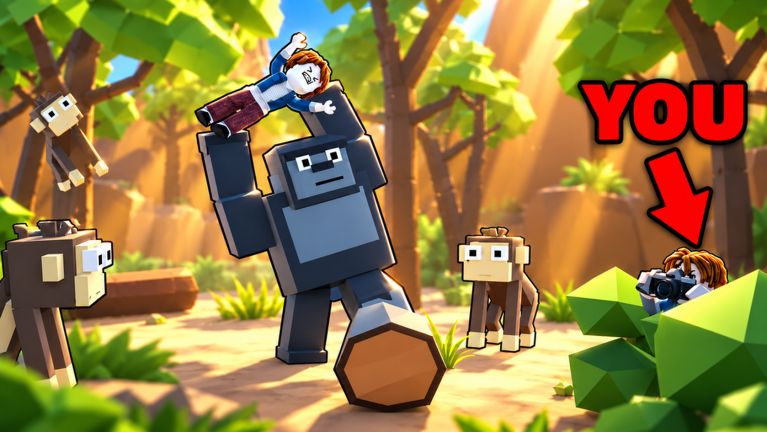
Redeeming codes in Roblox experiences is easy once you know where the developer placed the button. Film Animals is still a young title, and no public codes are verified yet, but crews that practice the redeem flow claim rewards before servers fill with hype traffic. This guide walks through the standard Roblox pattern, Film Animals-specific tips, and mistakes that silently fail a redeem.
Before you open the codes box
- Launch Film Animals on a stable connection.
- Finish any forced tutorial prompts so the HUD is fully available.
- Stand in a safe camp area—do not try to type codes while a tiger is mid-charge.
- Copy the code from the codes hub exactly; do not retype from memory.
If the Codes Hub still says none are active, bookmark this page and return after reading updates.
Standard redemption steps
Most Roblox co-op games follow a similar path. Use this checklist when Film Animals exposes a Codes control:
- Look for a Codes, Twitter, Gift, or Settings button on the left or top of the HUD.
- Open the panel and find a text field labeled Enter Code or similar.
- Paste the string carefully. Watch for hidden spaces when copying from Discord or social posts.
- Press Redeem, Claim, or Submit.
- Wait for a success toast, reward popup, or inventory ping.
If nothing happens, leave the panel open for a few seconds—some remotes are delayed under load.
Case sensitivity and formatting
Treat every code as case-sensitive unless the announcement says otherwise. SAFARI100 and safari100 are different strings to most redeem systems. Also avoid:
- Extra spaces before or after the code
- Fancy Unicode lookalikes from stylized social posts
- Line breaks when copying from mobile browsers
When we list a code on the codes hub, we preserve the exact casing from the announcement.
Common redeem errors
Invalid / not found usually means the string is wrong, expired, or not for Film Animals. Double-check you are in this game and not another animal title.
Already redeemed means your account already claimed it. Codes are typically one redeem per account, not per server.
Expired means the window closed. Move the code mentally to the expired list and stop retrying.
Level / group gated rewards sometimes require joining the ChrisBacker1993 group or reaching a milestone. Read the announcement before assuming the code is broken.
Empty success with no item can happen if the reward is cash or a timed boost. Check currency counters and buff timers before filing a bug report.
Mobile versus desktop
On mobile, the Codes button can hide behind collapsed menus. Rotate to landscape if the HUD is cramped, and paste from the clipboard instead of hunting for symbols on the software keyboard. On desktop, disable browser password managers that auto-fill the code field with garbage.
What to do with rewards
Rewards only help if you spend them with intent:
- Cash: fund bus upgrades or emergency repairs before a deep safari.
- Supplies / heal items: stock before you leave camp; night chases punish empty inventories.
- Boosts: align them with a focused quota run from meet quota.
- Cosmetic gifts: fun, but do not derail a night return to flex in the open field.
New players should still complete getting started so rewards plug into a real loop instead of sitting unused.
Team etiquette
In a 1–5 player crew, call out when you redeem something that affects shared pacing—like a temporary cash boost. Do not AFK in the bus entrance typing codes while teammates wait to depart. Redeem at camp, confirm rewards, then roll out.
Staying ahead of new drops
- Favorite the Roblox game page.
- Join or watch the creator group for shouts.
- Refresh the codes hub after major updates.
- Ignore unverified TikTok spam until a string works in a clean session.
Codes are not scripts
If someone offers a “code” that is actually a loadstring, that is a script, not a promo reward. Read scripts for feature context and risk warnings. Promo codes never require an executor.
After you redeem: return to the safari plan
Codes are a bonus layer on top of filming skill. Keep practicing safe angles from how to film animals, watch animal priorities on the tier list, and never let a redeem delay push you past a safe night return outlined in survive the night.
When the first verified Film Animals codes appear, this page remains your redeem playbook—and the Codes Hub becomes the live list. Until then, earn progress the reliable way: film, convert, upgrade, and get home before dark.
Frequently Asked Questions
Quick answers for Film Animals safari crews.
Can I redeem Film Animals codes right now?
Only if a verified active code is listed on the codes hub. None are documented at the moment.
Where is the Codes button in Film Animals?
Look for Codes, Gift, or Settings on the HUD after the tutorial. UI placement can shift with updates—recheck after patches on updates.
Why does my code say invalid?
Check spelling, spacing, and that you are in Film Animals. The code may also be expired or already redeemed on your account.
Do I need to join a group to redeem?
Some Roblox games gate codes behind group membership. If a Film Animals announcement mentions the ChrisBacker1993 group, join before redeeming.
Are redeem codes safe?
Official promo codes entered in the game UI are the intended freebie path. Never paste unknown executor scripts while thinking they are codes—see scripts for the difference.